
I Built a Travel Planner Website Because Everything Else Sucked
Introduction
It was near the end of November 2024, I got the email which said my US VISA has been approved; I was so excited! I wasn’t sure when I’ll actually go for a trip but I was relieved that the visa headache was solved. Fast forward a few months and I got to know that my girlfriend had booked the tickets for the June 10 Coldplay concert in Denver; I was elated! We started making bookings for about a month long trip across the US, and we came to realize what a mess the planning part was turning out to be.
The Problem: Travel Planning Chaos
We were drowning in travel details. Here’s what we were trying to juggle:
Flight details: Multiple flights, it would not be easy to open the tickets again and again for a quick check on the gate number/other details.
Hotel reservations: different cities, different check-in/check-out times.
Transportation chaos: Rental cars, ride-shares, public transit - each needing coordination with arrival/departure times.
Attachment nightmare: PDF confirmations, e-tickets, booking references - all scattered across email inboxes and messaging apps.
And here’s the real kicker: how do you see how all these pieces actually fit together in a timeline? When does our Denver hotel check-in align with our flight arrival? How much time do we need between the concert ending and our next day’s activities?
The existing tools just didn’t cut it:
- Excel would require constant formatting adjustments and manual timeline calculations.
- A calendar lacked space for detailed booking information and attachments.
- Traditional word processors felt completely outdated for managing complex, multi-city travel logistics.
We needed something that could handle:
- All types of bookings in one place
- Easy attachment management
- Visual timeline showing how everything connects
- Cost tracking across categories
- Collaboration on a per trip basis
And then it clicked! Why not attempt to build my own Travel Planner website? Something that has no AI bullshit, something to just get the job done.
Requirements
Based on our travel planning nightmare, here’s what the perfect travel planner needed:
- Multi-transport support: Flights, trains, buses, rental cars - all in one place
- Universal attachments: PDF confirmations, e-tickets, booking references - everything stored securely
- Visual timeline view: See how all pieces fit together chronologically
- Checklists and notes: Pre-trip preparation tasks and travel-specific notes
- Expenditure analysis: Cost breakdown by category and overall budget tracking
- Google authentication: Simple, secure sign-in with existing accounts
- Collaboration features: Share trips with travel partners and edit together
Approach
Though I have had experience in web development using React.js during my college days, I decided to give AI-assisted coding a try. With the requirements in mind, I started by writing a detailed design document with hand-drawn mockups showing how the website should look on desktop and mobile. With the help of ChatGPT and Google Gemini, I iterated over the specification until I was satisfied that it provided enough context for the AI to work with effectively.
Execution
Given my love for the terminal, my primary AI agents choices were:
GPT-5 had just been released at the time, so I decided to give it a try with Codex CLI.
I did some research of my own and decided to go with Next.js for the frontend and Supabase for my backend. Both were technologies I had never used before, but since Next.js is based on React.js, I figured it should be pretty similar in terms of the overall structure. As for the backend, I just wanted to use something other than Firebase (which I have used for several other projects), and Supabase is pretty famous on Reddit/Twitter, so naturally, I wanted to give it a try. For hosting, I chose Vercel.
I started by telling Codex to look at the design doc and come up with different phases for development, and I think it did a great job! Here’s a high-level breakdown it provided:
- Foundation & Infrastructure
- UI Framework & Auth
- Core Components & Trip Shell
- Section CRUD ( Different sections like Flights, Buses, etc.)
- Collaboration & Timeline
- Polish & Launch
With this, I started to implement the website phase by phase, which is when I realized that GPT-5 is rather slow. I decided to add another layer of abstraction in the middle. The plan was:
- Create a detailed plan for a phase with GPT-5
- Execute with GLM-4.6 (Z.ai coding plan. I found this model to be really good overall; and given the INSANE pricing, it was a no-brainer - I ran this on Droid CLI).
I also paired the agents with Supabase MCP server to make creating the DB, policies, etc. super easy.
The execution took a lot longer than I initially thought. I primarily worked on the project on weekends, and it took me about 1.5 months of iterations to get all pieces to fit together in a really clean, beautiful UI (at least according to me :)).
And lo and behold - https://travelplanner-smoky.vercel.app/ is up and ready!
Screenshots
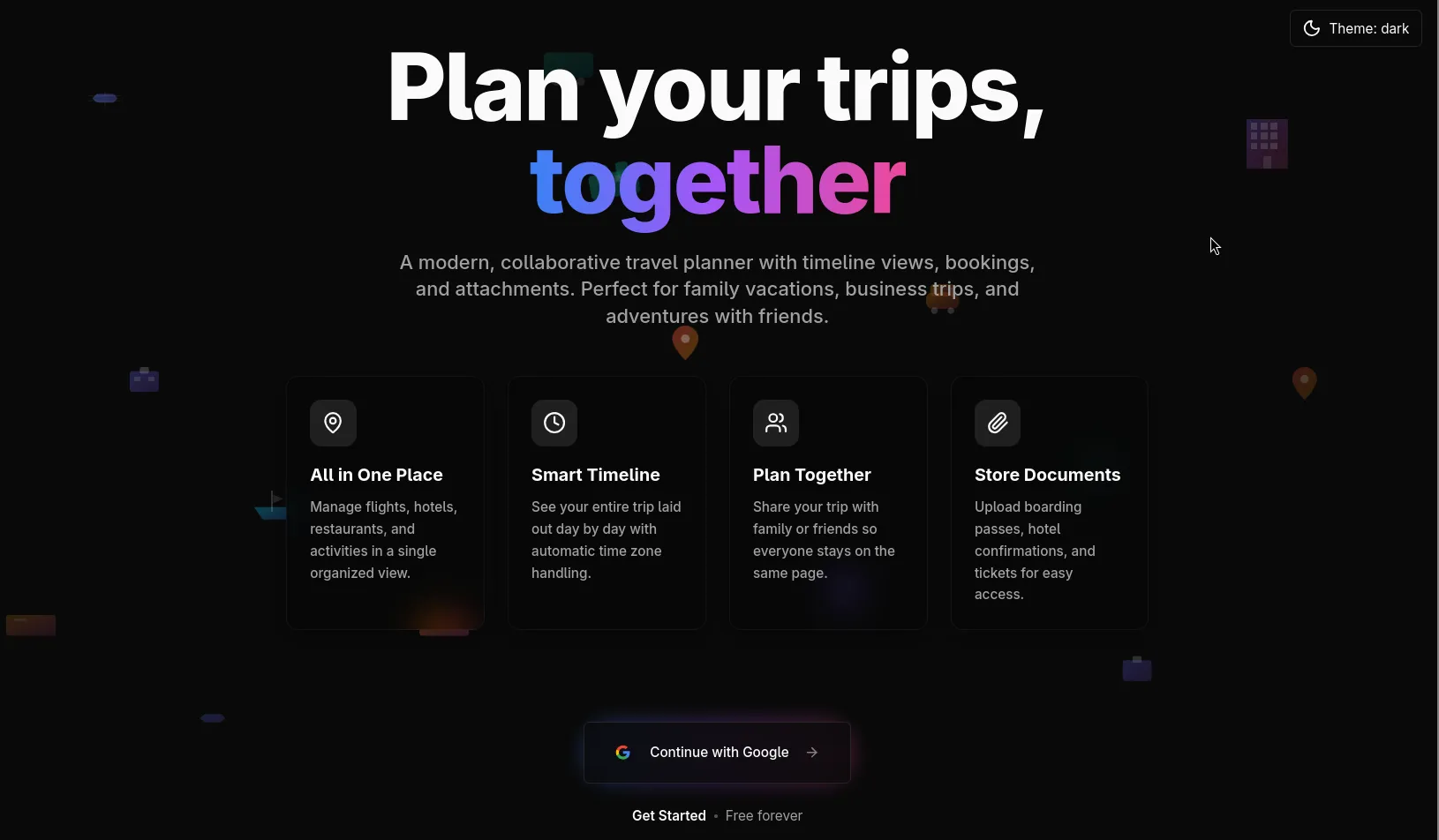
Landing page
Dashboard
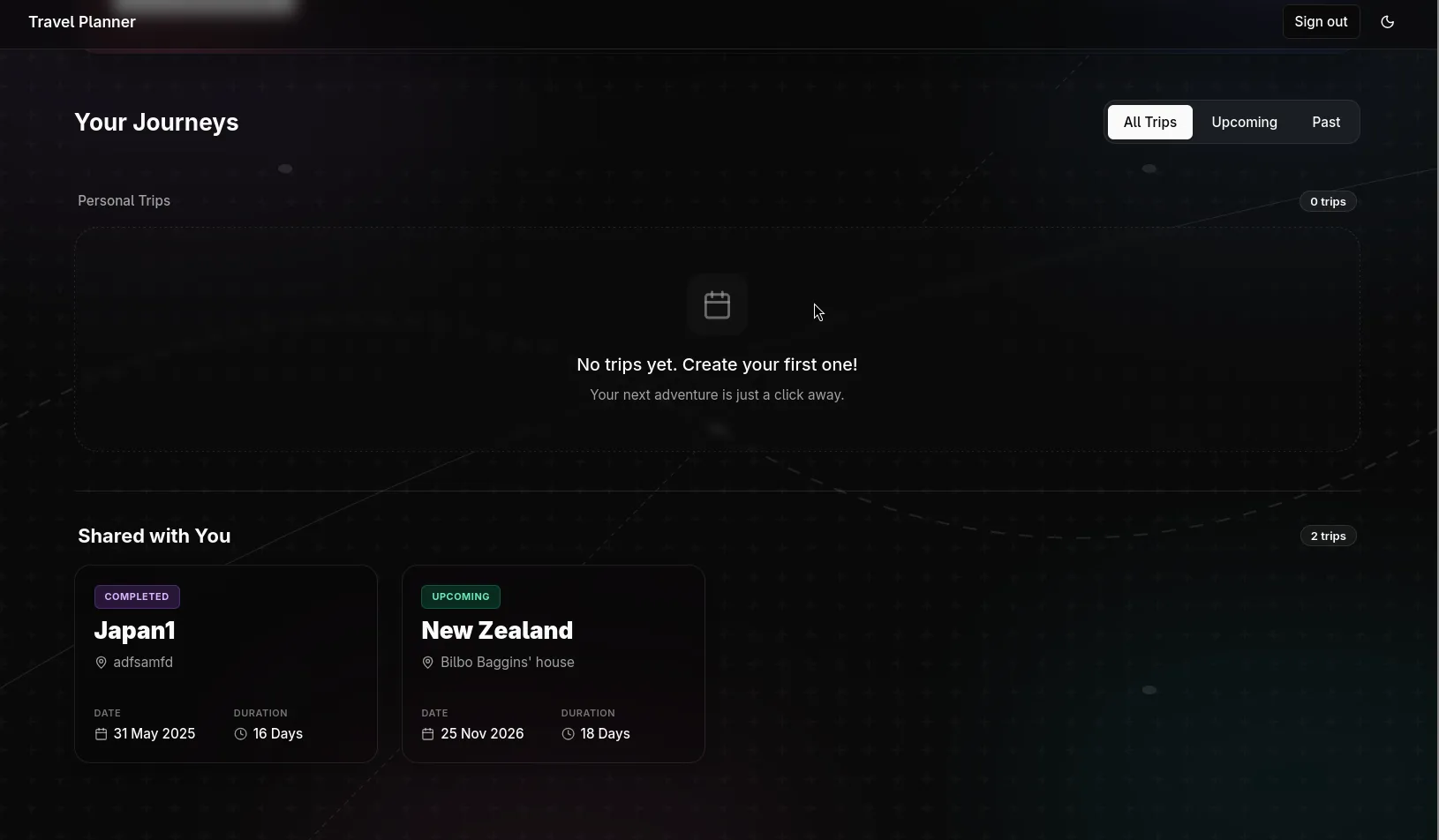
The dashboard shows trips created by you or shared with you, YES! We can invite others on a per trip basis!
Timeline
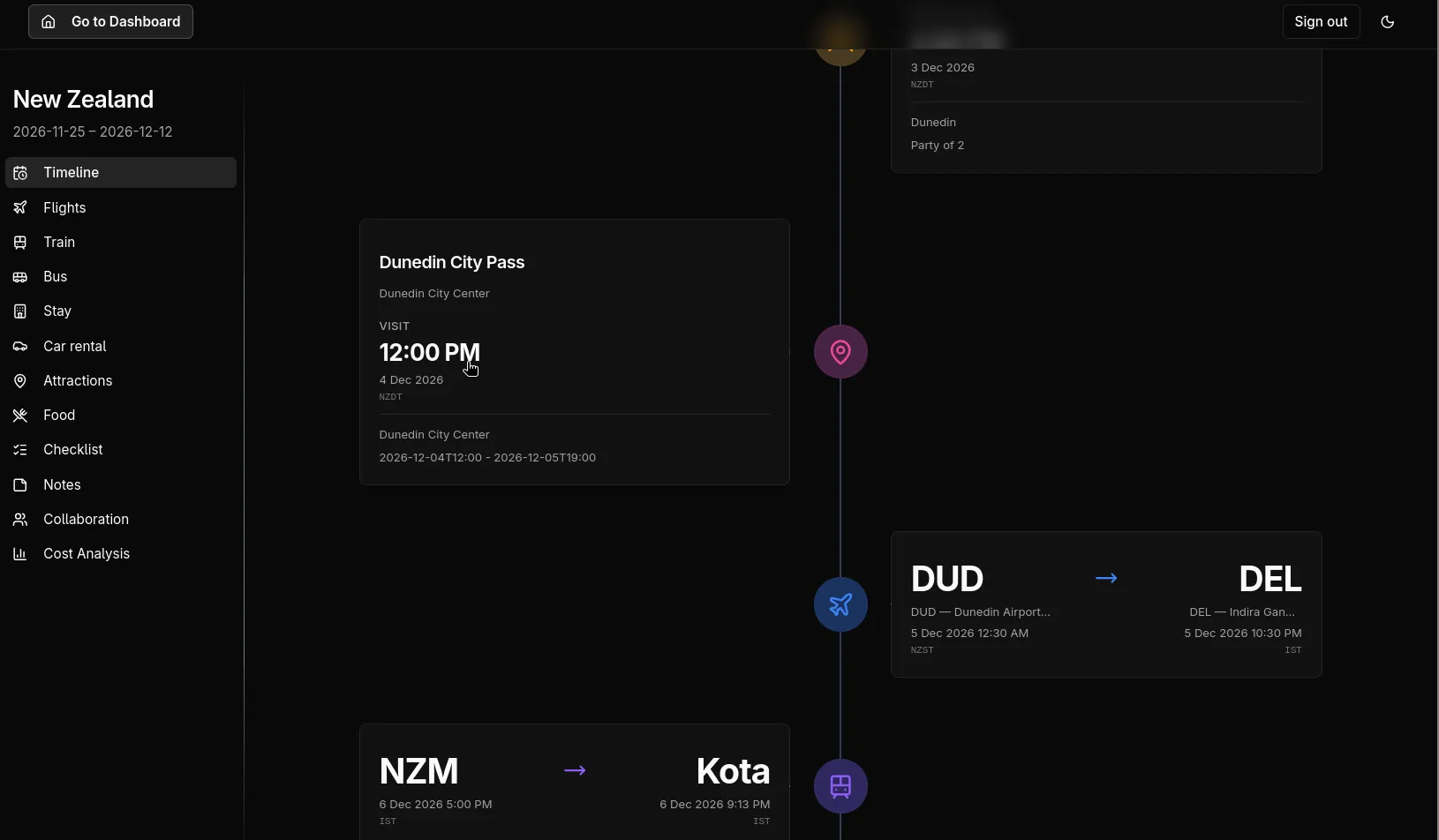
The timeline is a clean view to see the overall trip with easy access to download the attachments.
Cost Analysis
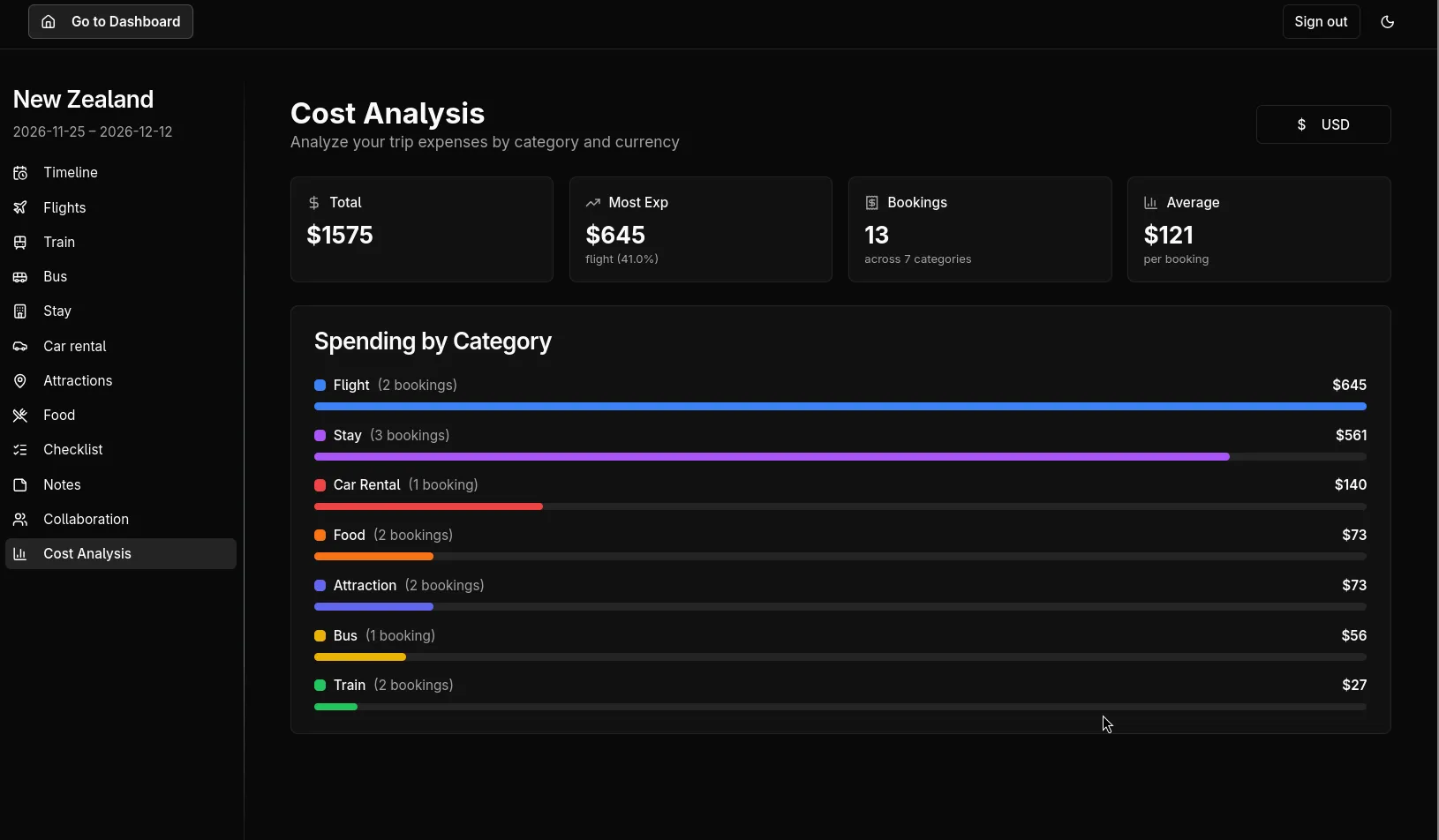
Gotta include some pretty graphs!
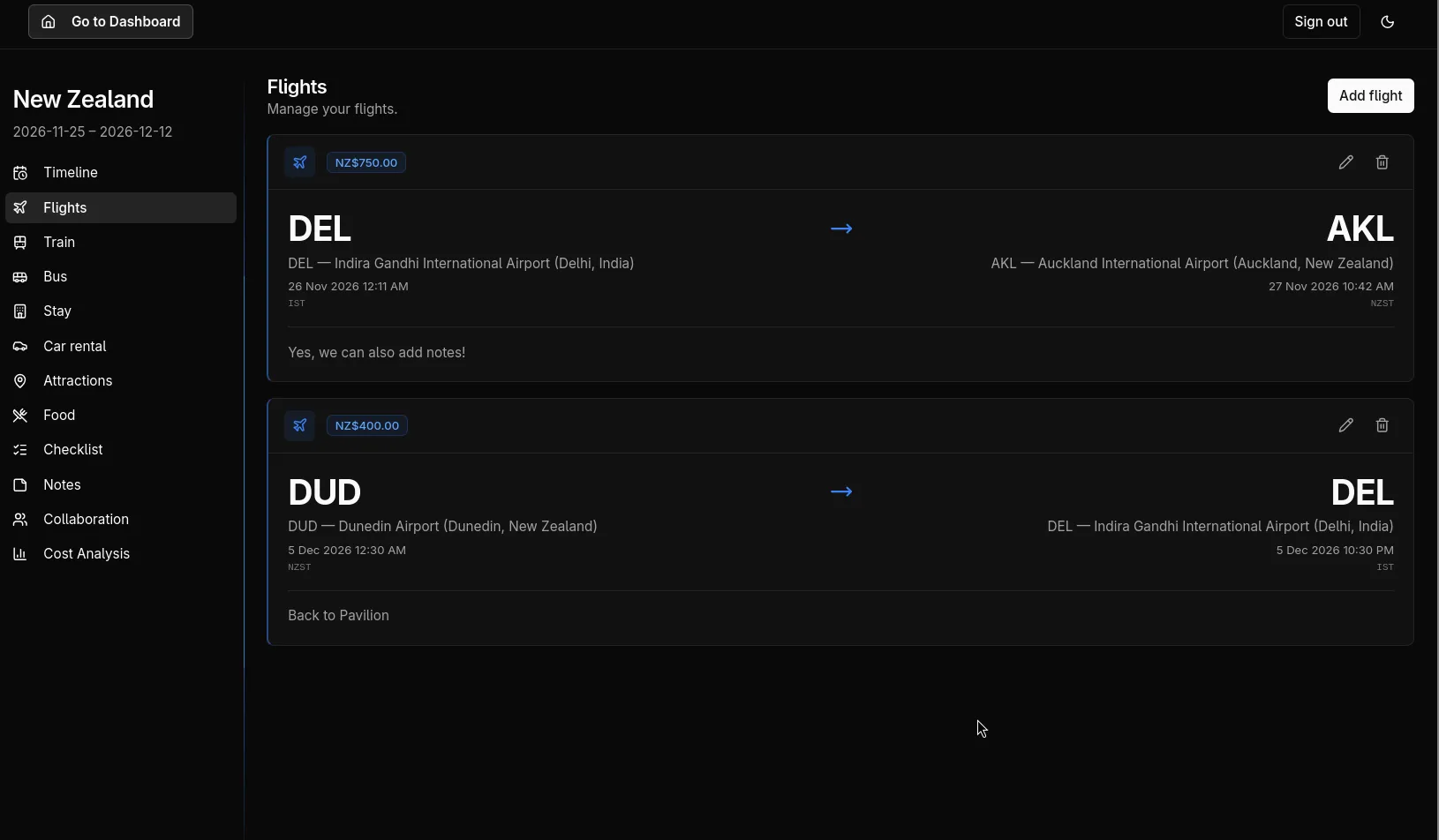
Flights
Conclusion
I’m genuinely thrilled with how this project turned out. What started as a personal solution to our travel planning chaos has evolved into something bigger - my parents and friends are now using it for their own trips! This journey has taught me some valuable lessons about AI-assisted development:
You Don’t Need the Best Model for Everything
Use top-tier models like GPT-5 for initial prototyping and high-level planning, then switch to more cost-effective models like GLM-4.6 for the actual implementation work. The price difference is massive, and for most coding tasks, the cheaper models are more than sufficient.
Iteration is Non-Negotiable
Don’t expect to get everything right on the first attempt. AI models still make plenty of mistakes, and you absolutely must iterate repeatedly. Start with a basic prototype, identify what’s broken or clunky, then gradually improve it. This iterative approach is essential for achieving a polished final product.
Human Oversight is Critical
I genuinely don’t understand how some developers just “vibe-code” without reviewing what the AI produces. From my experience, AI makes frequent mistakes - not so much in syntax, but in architecture decisions, code organization, and overall design patterns. You need to provide structural guidance and architectural oversight to get truly excellent results.
Specificity Trumps Vagueness Every Time
If you give AI vague input like “build a travel app,” you’ll get generic, suboptimal results. Instead, provide detailed specifications: exactly how features should work, what the user flow should look like, specific design requirements, and detailed technical constraints. The more specific your input, the better the output.
What’s Next?
The travel planner is just the beginning. Now that I have this development workflow refined, I’m excited to tackle more complex projects. The combination of a smart(er) model for planning and a cheap one for implementation, augmented with specialized MCPs / CLIs like the Supabase MCP server, has proven to be incredibly effective.
If you’re planning your own multi-city trip or just need to organize travel chaos, feel free to check out Travel Planner - it might just solve the same headaches I was facing!
And if you’re interested in AI-assisted development, remember: the tools are amazing, but they’re not magic. Success still depends on your vision, your iteration, and your willingness to guide the AI toward something truly useful.